

FlightLogger – Wingops integration
Smarter scheduling. Connected maintenance. Optimized fleet utilization.
FlightLogger users can now take flight scheduling and maintenance coordination to the next level with the FlightLogger – Wingops integration.
The two-way connection between FlightLogger and Wingops supports allows more efficient planning and fleet utilization through better visibility and automated data synchronization.
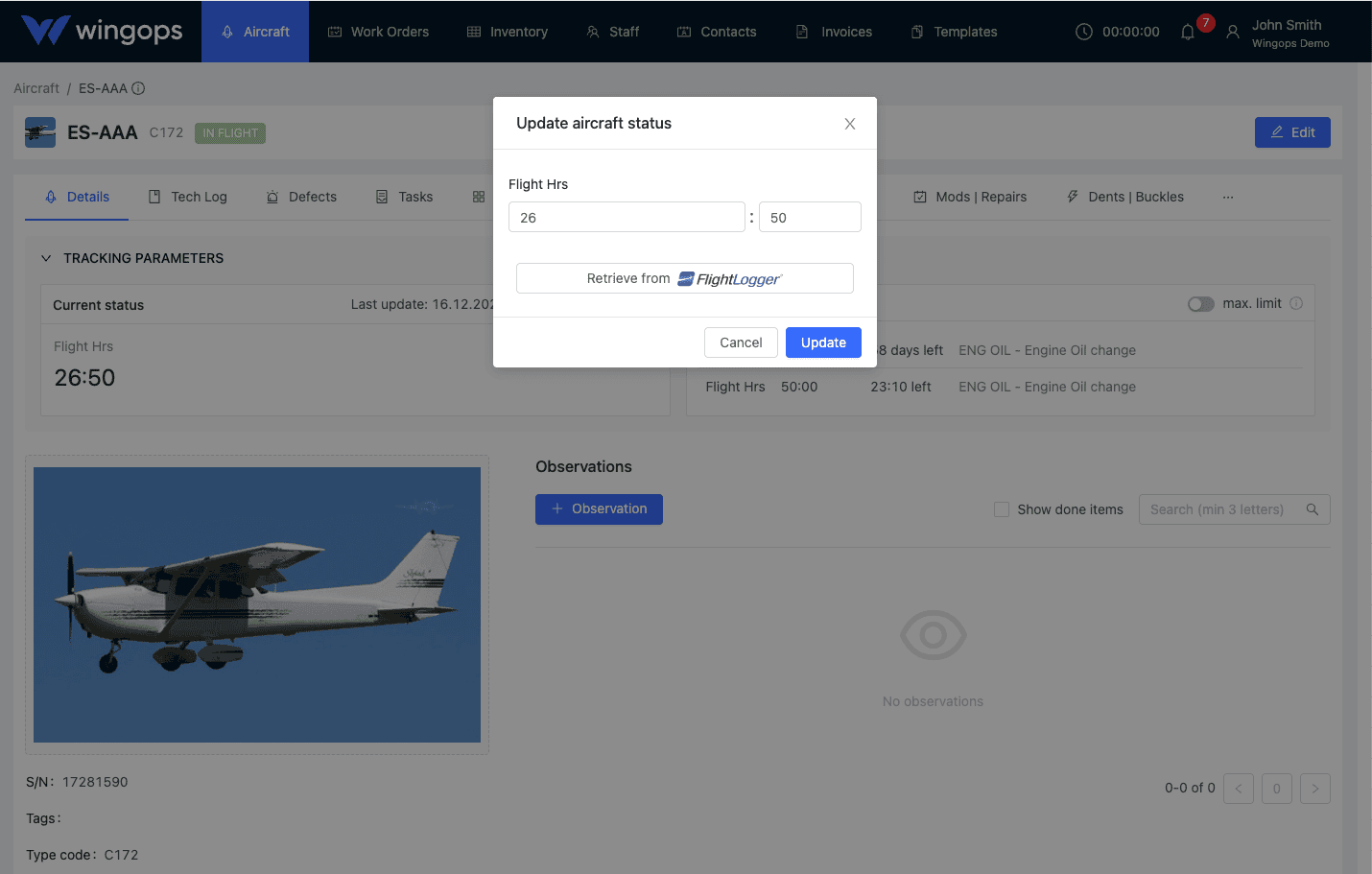
Key benefits of the FlightLogger –Wingops integration
Automatic data synchronization
Wingops automatically syncs mapped flight time, block hours and other values every hour.
(Sync direction: FlightLogger → Wingops)
Scheduled maintenance coordination
When a work order with planned start/end dates is created in Wingops, it automatically synchronizes with FlightLogger, ensuring maintenance-aware flight scheduling, while all flights scheduled in FlightLogger are also visible in Wingops.
Reduced manual work and errors
Automated synchronization eliminates double data entry and reduces the risk of mismatched information.
Integrating with FlightLogger
- In Wingops, go to Settings → Integrations
- Locate the FlightLogger integration and enter your FlightLogger API key
- To create an API key in FlightLogger: go to My FlightLogger → API → Create API Key, enter the required information, and generate a key. (Note: This must NOT be a Global Key)
- Select the aircraft you want to connect
- Ensure that aircraft registrations match exactly in both FlightLogger and Wingops
- In Wingops, map the parameters provided by FlightLogger
- Enable Update Bookings so that work orders from Wingops appear in the FlightLogger Bookings section
- Save your settings. Wingops will then automatically update aircraft hours and send scheduled maintenance data to FlightLogger